Key takeaways
- A shared inbox lets your whole support team work from one address, with clear ownership of every conversation.
- For e-commerce, an email-only shared inbox isn’t enough. Customers message you on WhatsApp, Instagram and live chat too, so you need an omnichannel inbox that also shows Shopify order data beside each message.
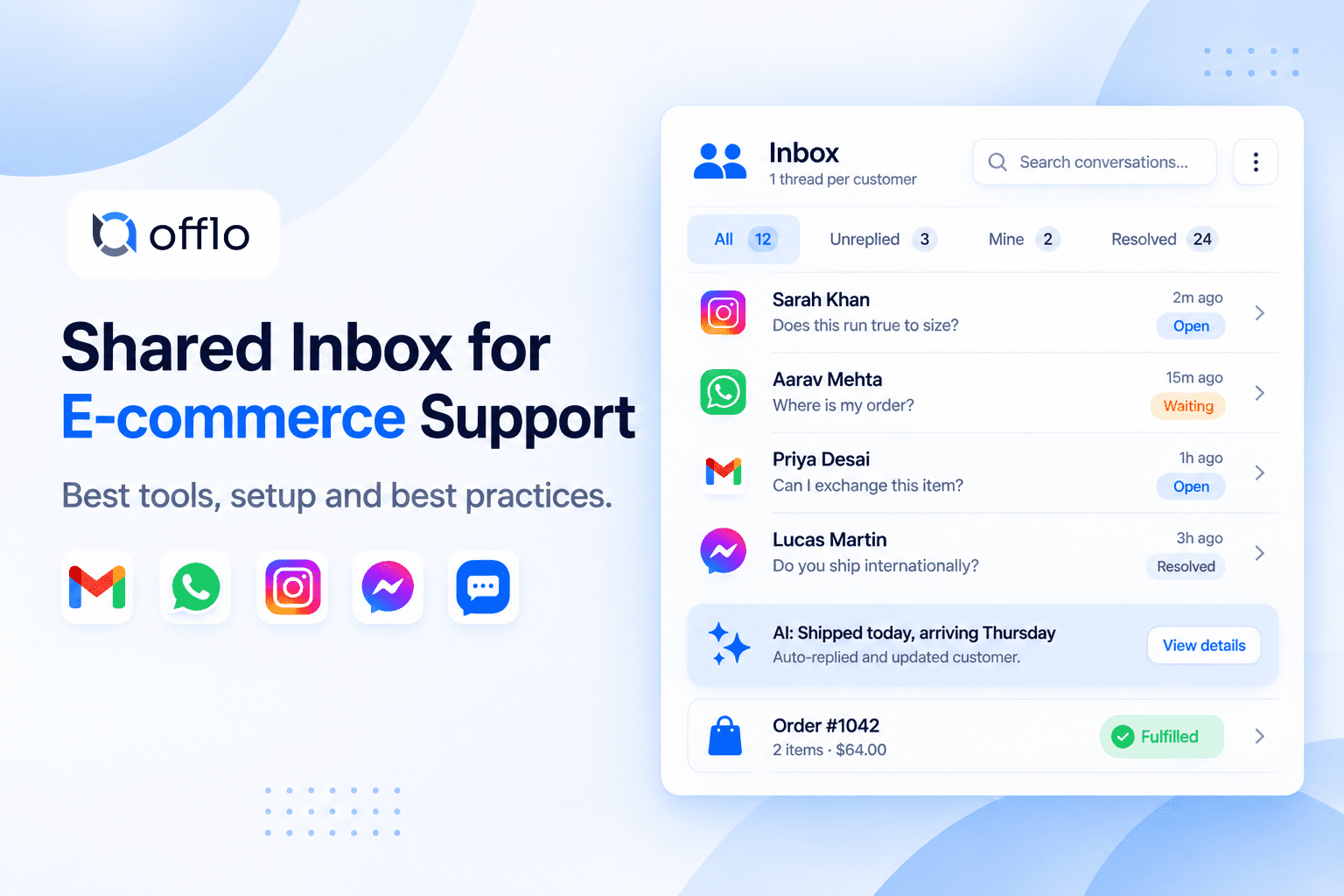
- The best shared inbox software for online stores combines four things assignment with collision detection, one thread per customer across channels, order context, and AI that answers repeat questions like “Where is my order?”
- Pricing models vary a lot. Some charge by ticket volume, and some charge per seat, and Offlo charges per workspace with AI messages included.
What is a shared inbox?
A shared inbox is a single inbox that several team members can access, so a team can read, assign and reply to messages sent to one address, such as support@ or orders@, without sharing a password or forwarding emails. Each conversation has one owner, a status (open, pending, closed) and a visible history. Two agents never answer the same customer twice, and no message falls through the cracks.
A shared inbox is different from a shared mailbox or a distribution list:
| Feature | Distribution List | Shared Mailbox | Shared Inbox Software |
|---|---|---|---|
| How It Works | Copies each email to everyone’s personal inbox | One mailbox several people can open | A collaborative workspace on top of your email and chat channels |
| Ownership of a Message | None | None (anyone can reply) | One assignee per conversation |
| Duplicate Replies | Common | Common | Prevented by collision detection |
| Internal Notes | No | No | Yes |
| Reporting (Response Time, CSAT) | No | No | Yes |
| Best For | Announcements | Very small teams | Customer support teams of 2+ |
Collaborative inbox vs. shared mailbox: in Google Workspace, “Collaborative Inbox” is a specific Google Groups feature. It adds assign and resolve buttons to a group address, but you have to work it from the Google Groups interface rather than Gmail. A shared mailbox, as in Microsoft 365, is simply one mailbox that several people can open.
Why e-commerce support needs more than a regular shared inbox
Most shared inbox tools were built for B2B email. Online stores face a different problem the same customer contacts you on several channels about the same order.
A typical example: a shopper asks about sizing on Instagram, places the order, messages you on WhatsApp about delivery, and then emails to ask for a return. In a basic shared inbox, that becomes three tickets for three agents, each of whom knows only a third of the story.
The stakes are high. The Zendesk CX Trends 2026 report surveyed more than 11,000 consumers and support professionals. It found that 85% of CX leaders believe a single unresolved issue is enough to lose a customer. Customers also expect faster replies than they did a year ago.
So e-commerce customer service software has to do three things a generic shared inbox can’t:
- Merge channels into one thread per customer. Email, WhatsApp, Instagram DMs, Messenger and site chat all land on the same customer record.
- Show order context next to the conversation. Order status, tracking, past purchases and open carts should be visible without switching to the Shopify admin.
- Automate the repetitive tickets. Order status (“WISMO”), return policy, sizing and discount questions make up a large share of store support and follow predictable patterns.
Must-have features in shared inbox software for online stores
Use this checklist when you compare ecommerce help desk software:
Core shared inbox features
- Assignment and routing: auto-assign by channel, topic, language or working hours.
- Collision detection: warns an agent when a teammate is already replying.
- Internal notes and @mentions: discuss a case without leaving the thread.
- Statuses, tags and snooze: keep the queue clean and close the loop.
- Saved replies and templates for common answers.
E-commerce-specific features
- Native Shopify integration: see orders, fulfilment status and customer lifetime value inside the conversation.
- Omnichannel inbox: WhatsApp (ideally the official WhatsApp Business API), Instagram, Messenger, live chat, Gmail and Outlook in one queue.
- Unified customer profile: one record per shopper, matched by email, phone and social handle.
- AI agent with human handoff: resolves repeat questions automatically and escalates with the full history attached.
- Revenue features: cart recovery, product recommendations and discount codes inside chat, so support can also drive sales.
Operational features
- SLA timers and response-time reporting.
- Integrations with your stack (Slack, Klaviyo, review apps, returns apps).
- Predictable pricing that doesn’t spike during Black Friday and Cyber Monday.
Best shared inbox software for e-commerce support (2026 comparison)
The tools below are the ones online stores most often compare. Prices are starting list prices as of late 2026; always check the vendor’s pricing page before you buy.
| Tool | Best For | Channels | Shopify Order Data in Inbox | Pricing Model | Starting Price |
|---|---|---|---|---|---|
| Offlo | Shopify and D2C brands that sell on WhatsApp and Instagram and want AI included | WhatsApp (official API), Instagram, Messenger, web chat, Gmail, Outlook, Slack | Yes, native | Per workspace, AI messages included | Free; paid from $39/mo |
| Gorgias | Established Shopify brands with large support teams | Email, chat, social; voice and SMS as add-ons | Yes, native | By ticket volume; AI billed per resolution | $10/mo (Starter) |
| Front | Teams that want a “feels like email” shared inbox | Email, chat, SMS, WhatsApp and more | Via integrations | Per seat | $25/seat/mo (annual) |
| Hiver | Teams that want to stay inside Gmail | Email, chat, WhatsApp, voice and more (Omni) | Via integrations | Per seat (2-seat minimum) | Free plan; paid from $25/seat/mo |
| Help Scout | Email-first teams that want a simple help desk | Email, chat, knowledge base | Via integrations | Per seat, plus AI per resolution | Free plan; paid from $25/seat/mo |
| Google Groups Collaborative Inbox | Very small teams on Google Workspace with low volume | Email only | No | Included with Workspace | $0 |
1. Offlo best AI-first omnichannel inbox for Shopify stores
Offlo’s omnichannel inbox brings WhatsApp, Instagram, Messenger, live chat, Gmail and Outlook into one shared queue. Each customer has a single thread, whichever app they used to contact you. Shopify orders and open carts appear inside the conversation, so agents can answer “Where’s my order?” without opening another tab.
What makes it different for e-commerce:
- AI agent built in: it answers repeat questions, checks orders, recommends products and shares discount codes 24/7. When it escalates to a human, the reason for the escalation and the full history come with it.
- Assignment locking and collision detection, so two agents never reply to the same shopper.
- Official WhatsApp Business API (Offlo is a Meta Tech Provider), and you keep your existing numbers and email addresses.
- Support plus revenue: marketing campaigns, automations and a unified CRM on the same customer record.
- Install from the Shopify App Store.
Pricing: there’s a free plan. Starter is $39/mo billed annually and includes 2 seats, WhatsApp, Instagram, Messenger, Gmail and Outlook, plus 750 AI messages. Growth is $119/mo with 5 seats and 4,000 AI messages. Meta’s WhatsApp conversation fees are billed to you directly by Meta. See all plans.
Not the best fit if: you need phone or voice support, or SMS, as a core channel.
2. Gorgias established Shopify help desk with ticket-based pricing
Gorgias is a well-known e-commerce help desk with deep Shopify integration. Plans are priced by monthly ticket volume, from about $10/mo up to $900/mo before enterprise pricing. Overage charges apply above your allowance, and the AI Agent is billed separately per automated interaction. That makes it powerful, but your bill can be hard to predict during peak season. It’s one of the main reasons stores search for Gorgias alternatives.
3. Front polished shared inbox for email-heavy teams
Front feels like email with collaboration layered on top. In 2026 it costs $25, $65 or $105 per seat per month on annual billing. Starter is capped at 10 seats, and AI features such as Copilot and Autopilot cost extra on the lower tiers. It’s strong for B2B-style workflows, but Shopify context comes through integrations rather than natively.
4. Hiver shared inbox inside Gmail
Hiver is popular as a Gmail shared inbox because agents never leave Gmail; it also offers a standalone “Omni” app. Paid plans are $25, $55 and $85 per user per month on annual billing, with a 2-seat minimum, and there’s a free tier. It works well for Google Workspace teams, but it isn’t built around order data or social commerce.
5. Help Scout simple, friendly help desk
Help Scout offers a free plan and per-user plans at $25, $45 and $75 per month on annual billing. AI Answers is billed at $0.75 per resolution. It’s very easy to use for email-first support, but WhatsApp and Instagram aren’t its strengths.
6. Google Groups Collaborative Inbox the free starting point
If you’re on Google Workspace, you can turn a Google Group into a Collaborative Inbox at no extra cost. You get basic “take”, “assign” and “mark complete” actions. However, the collaboration features only work in the Google Groups web interface rather than Gmail, and there’s no SLA reporting, no chat channels and no order data. Most stores outgrow it quickly.
For independent user reviews of all of these tools, see G2’s shared inbox category.
How to choose a quick decision guide
- You sell mainly on Shopify and get many WhatsApp or Instagram messages → choose an omnichannel, AI-first tool such as Offlo.
- You have a large support team and very high ticket volume → a ticket-priced help desk like Gorgias can work, but model your peak-season costs first.
- Your support is 90% email and your team lives in Gmail → Hiver or a Google Groups Collaborative Inbox.
- You want the simplest possible email help desk → Help Scout or Front.
Run the numbers on cost, not just the sticker price. Per-seat pricing grows with headcount; ticket-based pricing grows with order volume; workspace pricing with included AI messages grows with automation. For a 5-person store team, compare the totals at your Black Friday volume, not at an average month.
How to set up a shared inbox for your online store (step by step)
- List every channel customers use today: support email, WhatsApp number, Instagram DMs, Facebook Messenger and site chat.
- Connect them to one inbox. With Offlo, you scan a QR code for WhatsApp, authorise Instagram and Messenger, add the chat widget to your store, and link Gmail or Outlook. Your existing numbers and addresses stay the same.
- Connect your store. Install the Shopify app so order and customer data appear in each thread. See all integrations.
- Set routing and working hours. Decide who owns which channel or topic, and what happens after hours.
- Train your AI agent. Feed it your shipping, returns and sizing policies and your product catalogue, and set clear limits on what it may and may not do.
- Create saved replies and tags for your top 10 question types.
- Define handoff rules: low AI confidence, an angry tone, refund requests above a certain value, or a customer asking for a person.
- Review weekly. Track first-response time, resolution rate, AI resolution share and revenue from conversations.
Shared inbox best practices for e-commerce teams
These tips for managing a shared inbox prevent the most common problems:
- Give every conversation exactly one owner. “Everyone” owning a message means no one does.
- Use statuses consistently: Open, Pending (waiting on the customer or the warehouse), Closed. Snooze anything waiting on a carrier update.
- Talk internally with notes, not reply-alls. Keep internal discussion inside the thread so context survives shift changes.
- Let AI handle WISMO first. Order-status questions are predictable and data-driven, so they’re the safest place to start automating.
- Tag by reason, not by channel: shipping delay, wrong size, damaged item, discount request. Then fix the root causes (product pages, packaging, carrier).
- Set response-time targets per channel. Chat and WhatsApp customers expect minutes; email customers usually accept hours.
- Write a short tone guide so every agent and the AI sounds like your brand.
- Prepare for peak season. Pre-write Black Friday macros and raise automation coverage before volume spikes.
- Connect support to revenue. Recover carts and recommend products in the same thread. Good support increases repeat purchases.
Common disadvantages of shared mailboxes (and how a shared inbox fixes them)
| Shared Mailbox Problem | How Shared Inbox Software Fixes It |
|---|---|
| Two people answer the same email | Assignment plus collision detection |
| Emails get missed or forgotten | Statuses, SLAs and an unassigned queue |
| Shared passwords are a security risk | Individual logins with role permissions |
| No idea how fast the team responds | Built-in reporting |
| Email-only, with no WhatsApp or Instagram | An omnichannel inbox |
| Agents check Shopify in another tab | Order data inside the thread |
Frequently asked questions
What is a shared inbox?
A shared inbox is a single inbox that several team members can access to read, assign and reply to messages sent to one address. Each conversation has one owner and a visible status, which prevents duplicate replies and missed messages.
What is the best way to manage a shared inbox?
Give every conversation one owner, use consistent statuses (open, pending, closed), discuss cases with internal notes instead of forwarding, tag conversations by reason, and track response times. For e-commerce, also show order data inside each thread and let AI resolve repeat questions like order status.
What are the disadvantages of using a shared mailbox?
Shared mailboxes have no assignment, so messages get duplicate replies or none. They also rely on shared logins, offer no reporting, and only handle email. Shared inbox software fixes this with ownership, collision detection, analytics and support for more channels.
How do I create a shared inbox in Gmail?
Free options include Gmail delegation and a Google Groups Collaborative Inbox. With the Collaborative Inbox, you create a Google Group with your support address, turn on Collaborative Inbox in the group settings, and give members permission to assign topics. For assignment inside one tool, chat channels and reporting, connect Gmail to dedicated shared inbox software instead.
Do e-commerce stores need a shared inbox or a help desk?
Most stores with two or more support agents need a tool that combines both the simplicity of a shared inbox with help desk features like routing, SLAs and reporting. Most importantly for e-commerce, it should include Shopify order data and WhatsApp and Instagram support.
What is the best Gorgias alternative for small Shopify stores?
Small Shopify stores often look for tools with a free plan and predictable pricing that doesn’t depend on ticket volume. Offlo is one option it offers a free plan, an AI agent included in paid plans, and a native Shopify integration in one omnichannel inbox. Help Scout and Hiver are alternatives for teams that mainly use email.
What’s the difference between a shared inbox and a distribution list?
A distribution list copies every email to each member’s personal inbox, with no ownership or tracking. A shared inbox keeps messages in one place, assigns each one to a single person, and tracks its status until it’s resolved.
The bottom line
A shared inbox is the foundation of good e-commerce customer support, but for online stores, email alone isn’t enough. Choose shared inbox software that unifies every channel your shoppers use, shows their orders next to the message, and lets AI handle the repetitive questions so your team can focus on the conversations that need a person and drive revenue.
Ready to put every customer conversation in one place? Start free with Offlo or book a 30-minute demo.
Related reading: Omnichannel inbox · AI agent for e-commerce · Offlo for e-commerce · Slack integration · More articles